


Construction Truck Kids Games
4.2230.00 Reviews
App Specs
- Version
- Varies with Device
- Updated On
- License
- Free
- Downloads
- 10,000,000+
- Developer
- gamesfarm
- Categories
- Educational
- Platform
- Android
Screenshots
 Analysis by AppCompare
Before handing a young child a new game, I like to know what the first few minutes will feel like: whether the theme is clear, whether the controls are approachable, and whether there is a simple activity to try together. Construction Truck Kids Games is an educational game from gamesfarm built around construction vehicles and building tasks. Its premise is easy to grasp for children who already point out diggers and trucks on the street, while its activity-based format gives a parent a straightforward way to join in rather than simply pass over a device.
The first session is best treated as shared play, not a test of whether a child can master every task alone. Sit beside them, let them explore the screen, and invite them to notice what each vehicle is doing. That makes the theme useful as a starting point for conversation, even before a child understands all the actions in the game. I would also set expectations early: this is a playful introduction to construction work, not a detailed building simulator or a structured lesson plan.
What to expect from a construction-themed game
The central appeal is the connection between vehicles and jobs on a building site. The game’s short description presents it as a truck game for kids, and the broader idea is easy for a first-time player to understand: vehicles help with construction activities. If your child enjoys pretending that a toy truck has a specific job, this theme gives you an easy prompt for imaginative play. You can ask what the vehicle might need to move or what kind of work might happen next, without turning the session into a quiz.
That focus also explains who is most likely to enjoy it. A young child who likes large machines, digging, and the idea of making something may be drawn in quickly. A child who mainly wants a fast racing game, complex vehicle controls, or a long story may find the construction focus less compelling. I would choose it for a short, themed play break rather than expecting it to replace every kind of children’s game.
Its store rating is an average of 4.2, with around 30,000 ratings, and it has over 10 million installs. Those figures suggest that it has reached a broad audience, but they cannot tell you whether its particular style suits your child. I’d use the subject matter as the better guide: if trucks and construction jobs already hold their attention, the basic premise is a sensible match.
Exploring the World of Construction Trucks
When I first opened Construction Truck Kids Games, I was greeted with a colorful and inviting interface. The game design is simple and intuitive, making it easy for kids to navigate without getting overwhelmed. The bright colors and fun animations are sure to catch the eye of any child, keeping them engaged from the get-go.
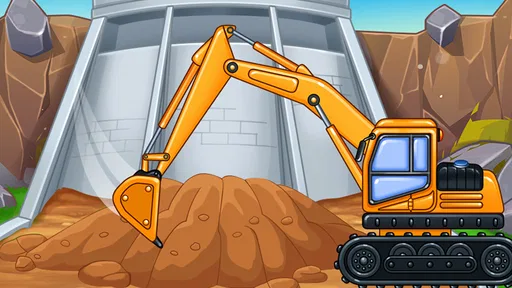
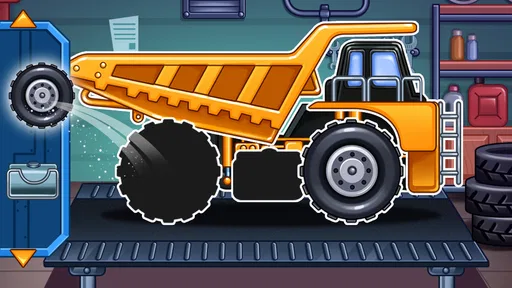
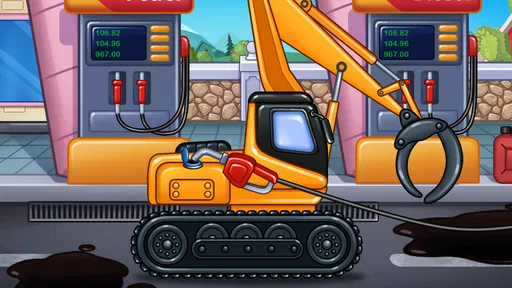
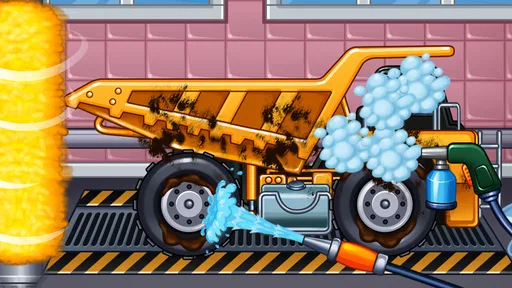
The game offers a variety of construction vehicles to choose from—everything from bulldozers to cement mixers. Each vehicle is designed with attention to detail, giving kids a realistic yet playful look at these mighty machines. As someone who appreciates good design, I found this aspect particularly appealing.
Worth Reading Before You Choose

Baby Panda World Brings Quick Play to Modern Phones, but Its Game Library Feels Busy

ESPN’s Live Game View Makes Following Close Games Easier

QuizzLand Review: A Good Fit for Short Trivia Breaks, Not Every Player

Basketball Stars: Multiplayer Is Fast, but Can It Recover When Matches Go Wrong?

WEBTOON Turns Phone Updates Into a Better Reading Routine

Link to Windows Runs on Shared Habits, Not Social Feeds
Making the first session feel manageable
For a first-time user, I would keep the opening session low-pressure. Let the child look around before explaining what to do, then offer one small suggestion at a time if they seem unsure. Construction play can be easier to follow when an adult describes the goal in everyday words: move something, dig, or help build. This gives a child a way into the activity without taking control away from them.
A practical first success is simply completing one task together and pausing to talk about what happened. Rather than rushing to the next activity, ask the child to point out which machine they used or what they think it helped accomplish. That tiny pause can turn tapping through a game into a more attentive play moment. It also gives you a chance to see whether the child enjoys the vehicle theme itself, the actions on screen, or just having you play alongside them.
On an ordinary afternoon, for example, I would offer it after a short stretch of indoor play when a child wants something to do but is not ready for a long activity. We could try one construction task, name the vehicle, and then take that idea back to toy trucks or a drawing. The game works best as one prompt among several, rather than as the whole activity. That approach is particularly useful for children who enjoy repeating a favorite action but benefit from a change of pace before they lose interest.
Learning Through Play
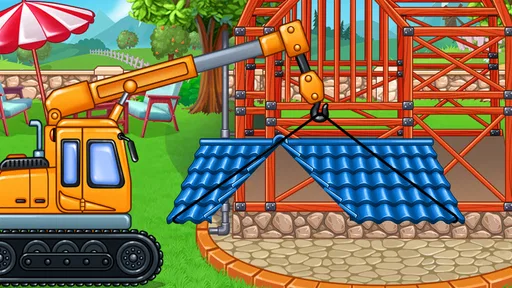
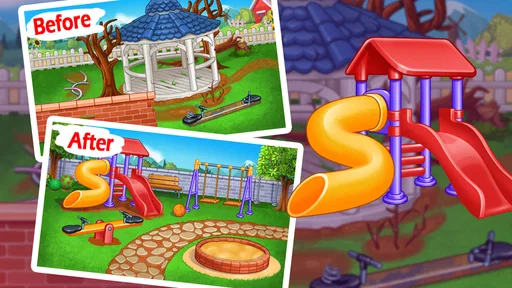
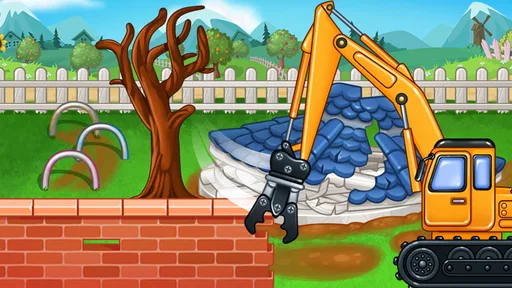
One of the standout features of this app is its educational value. Each game level introduces kids to different construction tasks, such as loading and unloading materials, digging, and building structures. These tasks are not only fun but also help develop problem-solving skills and hand-eye coordination.
As children complete tasks, they earn rewards and move on to more challenging levels. It's a great way to keep them motivated and eager to learn more. I noticed how the game subtly introduces new concepts, ensuring that learning feels like a natural part of playtime.
The learning value is strongest when a grown-up connects the on-screen activity to something the child already understands. If a task involves moving materials, you can relate it to carrying blocks across a room; if the child sees a machine digging, you can talk about how different vehicles have different jobs. These are simple connections, but they help keep the play grounded in the child’s own experience. I would not treat progress in a game as proof of construction knowledge; the useful part is the opportunity to notice actions, compare roles, and practice following a goal.
Compared with many educational games that rely on letters, numbers, or quizzes, this one has a more physical, pretend-play angle. That can be a welcome alternative for a child who is not interested in sitting through a question-and-answer activity. The trade-off is that families looking specifically for literacy, math practice, or a clearly sequenced school-style curriculum may be better served by a game designed around those subjects. Here, the theme and hands-on feeling are the main draw.
Kid-Friendly Controls and Safe Environment
Given that this app is targeted at young children, I was relieved to find that the controls are incredibly simple. With just a few taps and swipes, kids can operate the vehicles and complete tasks. The developers have clearly put thought into making the app accessible to its audience.
Moreover, the app provides a safe environment with no ads or in-app purchases, which is a huge relief for parents. It’s refreshing to find a game where I don’t have to worry about unwanted surprises popping up.
For parents deciding whether to install it, the practical store details are worth checking before a child starts playing. It is free to download, rated for Everyone, and offers in-app purchases priced from $5.99 to $49.99 per item. That means I would not assume that every purchase-related concern is irrelevant just because the game is aimed at children. I’d review the purchase settings on the device and make the family rule clear before handing it over, especially if the child can use the device without an adult nearby.
The game was released on December 12, 2021. I mention that only as useful context for someone comparing options: the important question for a child is still whether the current experience feels understandable and enjoyable, rather than how new the release is. The developer is gamesfarm, and the game’s broad age rating makes it an option for families looking for a child-oriented construction theme, while adult supervision around device and purchase settings remains sensible.
Sounds and Graphics
The sound effects and background music add to the overall experience, enhancing the feeling of being on a real construction site. The engine roars and beeps are realistic, yet not too loud or startling for young ears. As for the graphics, they are bright and cheerful, perfectly suited to the target age group.
Sound and visual effects can make a vehicle game more inviting, but they are also a reason to pay attention to how a particular child responds. Some children love engine noises and animated machinery; others prefer quieter play or tire of repeated effects quickly. I’d start the first session nearby and watch for signs of excitement or irritation instead of assuming every child will react the same way. If the child loses interest, switching to a toy truck or a quiet activity is better than trying to keep them engaged by extending screen time.
Where it fits among children’s games
Construction Truck Kids Games sits between open-ended pretend play and more formal educational apps. A simple vehicle game can provide a clear theme and a specific action to try, while a building sandbox may offer more freedom to invent. A preschool learning app, by contrast, may be a better fit when the goal is direct practice with letters, counting, or another school skill. I’d choose this one when a child is curious about machines and wants to act out a job, not when I need a broad lesson program or a highly customizable world.
That distinction is also a useful way to decide whether to keep it installed. If your child returns to the truck activities, talks about what the vehicles do, or carries the idea into block play, it is serving as a worthwhile spark. If they only tap quickly without following the construction theme, it may not be the right match, even if they generally like games. A more open-ended toy activity or a different kind of children’s app could suit them better.
Overall Experience
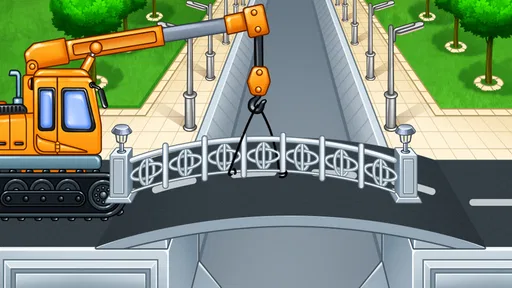
Playing Construction Truck Kids Games was genuinely a fun experience. It feels like the developers really understand what excites kids and have packed the app with activities that are both entertaining and educational. Whether it's learning how to operate a crane or understanding the basics of construction, this app offers a little bit of everything.
If you're looking for an app that combines fun with learning and offers a glimpse into the world of construction, this might be the perfect pick for your child. It's not just a game; it's a journey into the fascinating world of construction trucks.
So, grab your hard hat and let your kids dive into the fun world of Construction Truck Kids Games. It's a ride they won't forget!
Who I’d recommend it to—and who should pass
I’d recommend trying it with a child who already notices diggers, delivery vehicles, or building sites and likes to imitate what adults do. It can be a good choice for a parent who wants an easy shared activity with a clear topic, especially when the child is happy to explore at their own pace. You do not need to turn every task into a lesson; a few simple questions and room to play are enough to make the construction theme more meaningful.
I’d skip it if you want a quiet, text-led learning tool, a game built around a specific school subject, or a detailed simulator for older players. The child’s interest matters more than the educational label. A child who loves trucks may happily revisit construction tasks, while another may prefer animals, puzzles, or drawing. There is no benefit in insisting on a theme that does not catch their imagination.
A simple way to decide after the first try
After a first shared session, notice what the child remembers: the vehicle, the task, or a particular sound or action. If they can explain what they were trying to do in their own words, that is a useful sign the activity held their attention. If they only want to repeat one part, you can let them enjoy that briefly and then suggest a related offline activity, such as building with blocks or drawing a work vehicle. This keeps the game from becoming an automatic, open-ended screen habit.
For a free game with a child-friendly construction focus, I see it as a reasonable option to test with a young vehicle fan, provided an adult checks purchase settings and helps set a stopping point. Its strongest use is a short, cheerful play session that gives a child a chance to explore machines and imagine what they do. If that is what your family is looking for, it is worth a try; if you need deeper lessons or more freedom to build, another kind of app or hands-on play will be a better fit.
Pros
- Engaging graphics for young children.
- Easy-to-use controls for kids.
- Educational content on construction.
- Variety of trucks and tools to explore.
- No in-app purchases
- kid-safe environment.
Cons
- Limited levels may reduce replay value.
- No multiplayer or social features.
- Graphics may not appeal to older kids.
- Requires internet for some features.
- Repetitive background music.
FAQs for Construction Truck Kids Games
What age group is Construction Truck Kids Games suitable for?
Construction Truck Kids Games is designed for children aged 3 to 8 years old. The game features engaging activities that stimulate young minds, encouraging creativity and problem-solving skills. Parents can rest assured that the content is age-appropriate and safe, providing a fun and educational experience for young players.
Does the game have in-app purchases?
Yes, Construction Truck Kids Games includes in-app purchases. While the game offers plenty of free content, certain features and levels may require additional purchases. Parents are advised to set up parental controls or discuss with their children to prevent unauthorized spending within the app.
Can Construction Truck Kids Games be played offline?
Construction Truck Kids Games can be played offline, making it a great option for travel or situations where internet access is limited. However, some features, such as updates or additional content downloads, may require an internet connection. Be sure to download all necessary elements before going offline.
Is the app available on both Android and iOS platforms?
Yes, Construction Truck Kids Games is available for download on both Android and iOS devices. Users can find the app on the Google Play Store and the Apple App Store, ensuring compatibility with a wide range of smartphones and tablets for convenience and accessibility.
Are there educational benefits to playing Construction Truck Kids Games?
Absolutely, Construction Truck Kids Games offers a variety of educational benefits. The game encourages critical thinking, problem-solving, and fine motor skills through interactive play. Children learn about different construction vehicles and their functions, fostering an understanding of construction processes and enhancing cognitive development.


